LAN-ONLY · NO CLOUD

Send files across your devices. No cloud. No account.

AirBridge moves files and messages between your Windows PCs and Android phones on the same Wi-Fi — privately, instantly, end-to-end encrypted. macOS and iOS in the works.

Free · Open LAN protocol · Works offline

  • End-to-end encrypted
  • Zero cloud
  • Works offline
  • Windows + Android today
  • Open LAN protocol

BUILT FOR YOUR LAN

Everything you expect from AirDrop. Without the walled garden.

Three things AirBridge does that no cloud-bound file sender can match.

Transfer

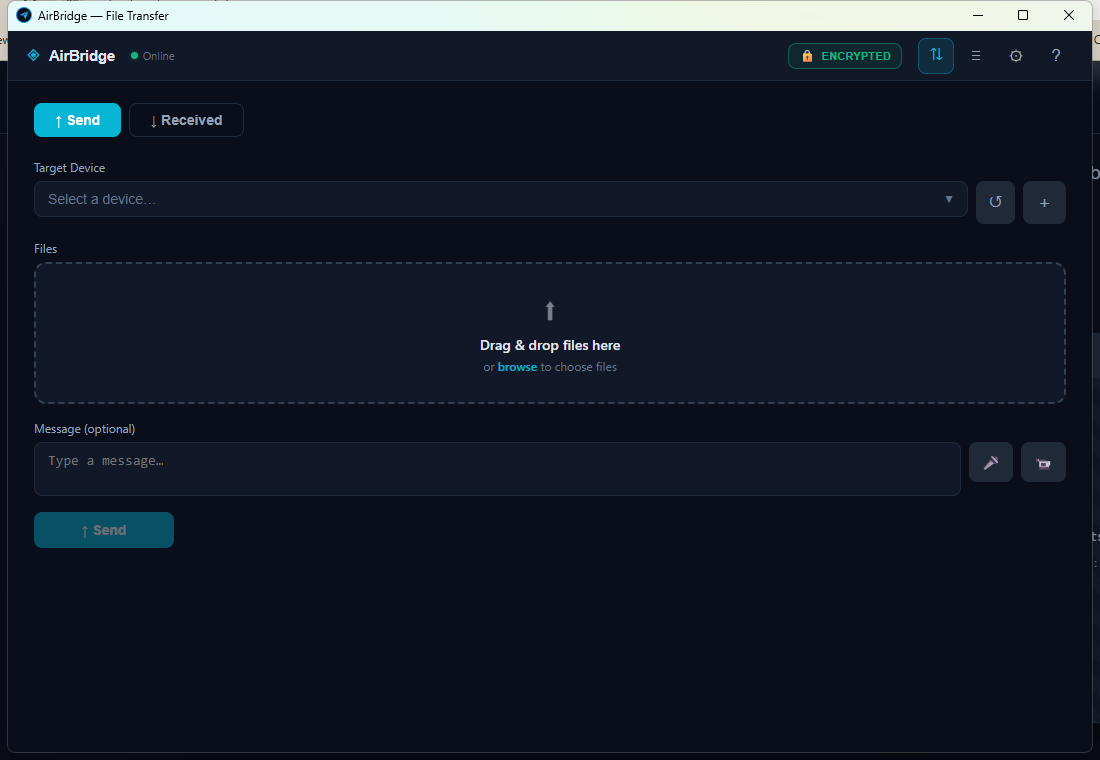
Drop files, they appear across the room.

AirBridge moves your files at LAN speed — nothing uploads, nothing buffers, nothing waits for a round trip to some datacenter. Drag a 4 GB video onto your laptop, pick a device, and it lands on the other side as fast as your Wi-Fi can carry it.

  • No uploads. No cloud hops. No queue.
  • Resumable transfers — reconnect and carry on.
  • Batch drops, folder drops, text snippets, all in one inbox.
AirBridge · Transfer
AirBridge desktop transfer screen
Encryption

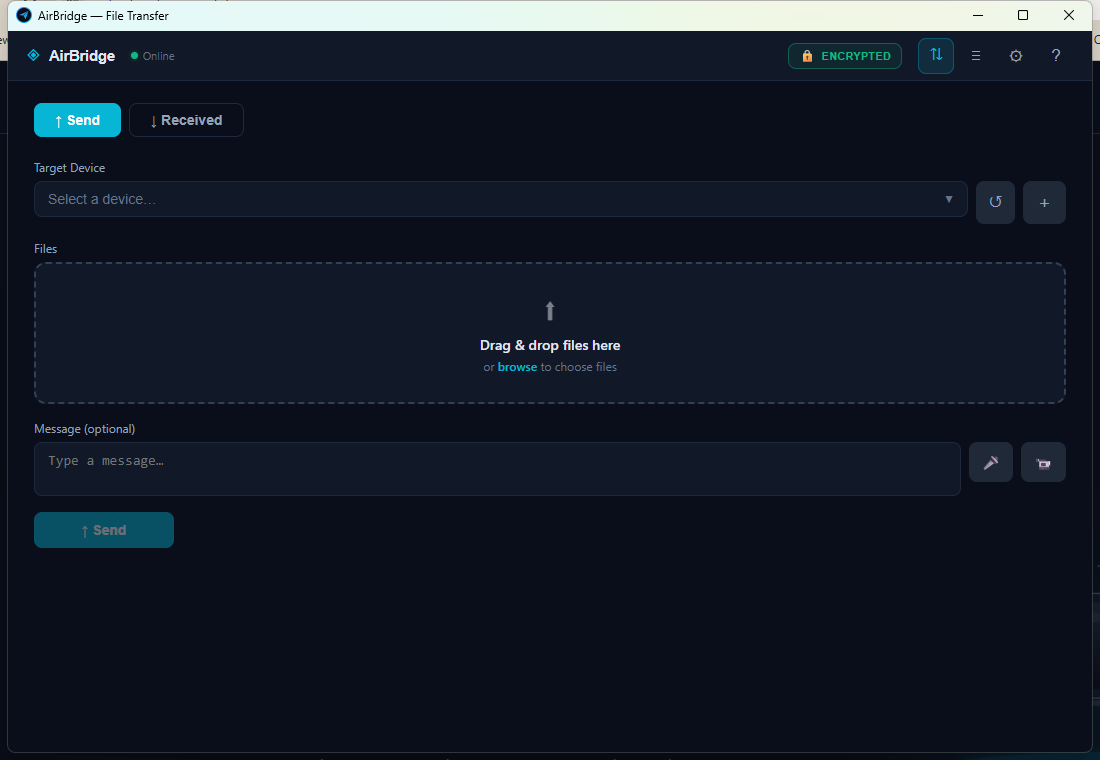
Encrypted by default. Your key, your LAN.

Every transfer is encrypted on your device with AES-256-GCM before it touches the network. A shared key ships with the installer so it just works — and you can pick a stronger per-file key mode anytime.

  • AES-256-GCM, the industry standard for authenticated symmetric encryption.
  • Choose single-key mode (zero-config) or dynamic per-file keys (forward secrecy per file) in Settings.
  • Shared LAN key bundled with the installer; swap in your own key whenever you like.
Read the security details
AirBridge · Header
AirBridge header showing the encrypted status pill
Discovery

Auto-discovers every device on your Wi-Fi.

Open AirBridge on any device that is already on your network and it shows up on the others. No IP typing. No QR codes for the common case. No accounts to link. Just pick the device and send.

  • Zero-config LAN discovery over the local subnet.
  • Windows and Android today; macOS and iOS shipping later on the same LAN protocol.
  • Manual pairing available for guest and split networks.
AirBridge · Devices
AirBridge devices screen with auto-discovered devices
CROSS-PLATFORM

One protocol. Four platforms.

The same encrypted LAN protocol runs under every AirBridge client. Pick your operating system — they all speak to each other.

Windows

Native Tauri 2 build. Windows 10 and 11, 64-bit. Free, no license key.

Download →

Android

Sideloadable arm64 APK today (Tauri 2 shell). Play Store distribution after signed release.

Download →

macOS

Apple silicon and Intel. Same protocol, same key, drops in when the Mac build lands.

Coming soon

iOS

Native share-sheet target. TestFlight first, App Store after.

Coming soon

HOW IT WORKS

Three steps. Usually under a minute.

  1. 01

    Install AirBridge on any device

    Run the installer on each computer or phone that should be able to send and receive. No signup, no email.

  2. 02

    Open it on the same Wi-Fi

    Devices on the same local network discover each other automatically within a few seconds.

  3. 03

    Drop a file. Done.

    Drag anything into the window, pick the destination, and watch it arrive at LAN speed.

PRIVACY PLEDGE

What leaves your network? Nothing.

We did not invent a business model that demands your data. AirBridge is a tool — not a service with an appetite.

Files never touch a server

Every transfer is peer-to-peer over your LAN. There is no upload step because there is nowhere to upload to.

No accounts, ever

No email, no password, no phone number. Your device name is all another AirBridge device sees — and there is no "us" with a database to leak.

Encryption keys stay with you

Shared LAN key bundled per installer — and swappable with your own at any time. We never see it.

SECURITY

Honest cryptography, plainly explained.

AirBridge uses AES-256-GCM, the same authenticated symmetric cipher that secures TLS and disk encryption. Every file and message is encrypted on the sending device with a shared LAN key and decrypted on the receiver with the same key. That key never leaves your devices.

Pick the mode that fits your threat model in Settings → Encryption:

  • AES single key — one shared key for the LAN. Zero configuration. Same key on every device that should be able to read your traffic. The default — works out of the box.
  • AES dynamic key — a fresh random key for every file, shipped through a shared folder. A leaked master key never exposes past transfers. Trust anchor moves from "has the installer" to "has access to your share".

Each installer ships with a bundled LAN key so first-time setup is one click. The moment you want tighter control, paste your own key in Settings, and every device on your LAN that also knows that key can talk to you. The ones that do not, cannot.

We do not run a cloud. There is nothing to subpoena, nothing to leak, nothing to breach on our end, because there is no "our end." Your files live on your devices. Period.

FAQ

Answers to the usual suspects.

Does AirBridge need an internet connection?

No. AirBridge operates entirely over your local network. As long as your devices are on the same Wi-Fi or LAN, transfers work even with the internet disconnected.

How big of a file can I send?

There is no artificial cap. The practical limit is whatever your local network can carry — on modern Wi-Fi 6 and wired LANs that means multi-gigabyte files move in seconds.

Do I need to type IP addresses?

Usually no. AirBridge auto-discovers devices on the same Wi-Fi. For unusual networks you can still paste an address manually, but most people never need to.

Is it really encrypted?

Yes. Every file and every message is encrypted with AES-256-GCM on your device before it leaves, and decrypted only on the receiving device. Pick single-key mode for zero-config encryption, or switch to dynamic per-file keys for forward secrecy on every send. No server ever holds your content.

What if I lose my key?

Generate a new one in Settings → Encryption. All devices that should talk to each other need to share the same key, so copy the new key to each device once and you are back in business.

Which platforms can I use today?

Windows 10/11 desktop and Android 8+ (arm64 APK sideload, send-only) ship today. macOS and iOS are in the pipeline — same LAN protocol, so your existing keys keep working when those builds land.

Move your files at LAN speed.

Download for Windows

Version 1.2.24 · Windows 10/11 · Free